
If you run a clinic, a law office, a solar installer, a salon, a school, or any storefront in Pakistan, claiming your Google Business Profile is the single highest-leverage free thing you can do this week. The top three Maps results pull the overwhelming majority of clicks for “near me” searches, and the businesses in those slots almost always have a claimed, completed, and actively maintained GBP listing. Setting yours up takes about thirty minutes. Verification then takes anywhere from a few minutes (a quick video or phone check) to a couple of weeks (if Google falls back to a mailed postcard).
This is a practical walkthrough. It covers the steps Google’s help docs cover, plus the parts they gloss over: the Pakistan-specific quirks, what to do when the postcard never arrives, and what to fix the moment your listing goes live.
Before you start: what to have ready
Gather these first and you’ll move through the setup without backtracking.
- Your real, registered business name as it appears on your signboard and receipts. Don’t add city names or keyword stuffing like “Best Dental Clinic DHA Lahore.” Google suspends listings for that.
- The exact street address that matches your utility bills, including suite or floor number.
- A phone number that someone reliably answers during business hours. A mobile number works; a number ringing at an empty desk does not.
- Your operating hours, including Friday, weekend, and public-holiday closures.
- At least five real photos: interior, exterior with shop board visible, team, equipment, and finished work.
- Your category list. Think wide: a skin clinic often fits “skin care clinic,” “dermatologist,” “laser hair removal service,” and “medical spa,” most owners pick one and miss the rest.
- A long-term Google account to own the listing. Use your own Gmail or a dedicated business Gmail, never a staff or intern account.
Step 1: Sign in and search for your business
Go to business.google.com and sign in with the account you want to own the listing. Search for your business by name and address. Three things can happen.
If Google already has an unclaimed listing for you (common for established businesses, patients or customers may have added you), claim it. Google will walk you through proving ownership.
If someone else has already claimed it (an old agency, a former employee, your cousin who set it up four years ago), request access through the prompt Google shows. The current owner has a few days to respond (currently about three); if they don’t, you can usually take ownership.
If Google has no listing at all, create one from scratch using the “Add your business to Google” option.
Step 2: Fill in the profile completely
Every field matters. Google ranks complete profiles higher than half-empty ones, and the missing fields are usually the ones a competitor has filled in.
- Address: exactly as on your utility bill, not a marketing-friendly rewrite.
- Phone: the one someone answers, not a landline that goes to voicemail.
- Hours: including Friday prayer timings if you close, and closures for Eid, Independence Day, and any others.
- Category: pick the most specific primary category that fits, then add secondaries for everything else you do. Most Pakistani clinic owners pick one category, miss most of their addressable searches, and never realise why. For a worked example, the GBP for dentists playbook and the GBP guide for solar installers lay out which categories are worth claiming and which to skip.
- Description: 750 characters maximum. Say what you do, who you do it for, and where. No superlatives like “best” or “top-rated,” Google strips them and PMDC compliance bans them for healthcare anyway.
- Services: list every service you actually deliver, with a short description.
- Attributes: consultation type, languages (Urdu, English, Punjabi, Pashto where applicable), payment methods, accessibility features.
Step 3: Verification methods, and how they tend to play out in Pakistan
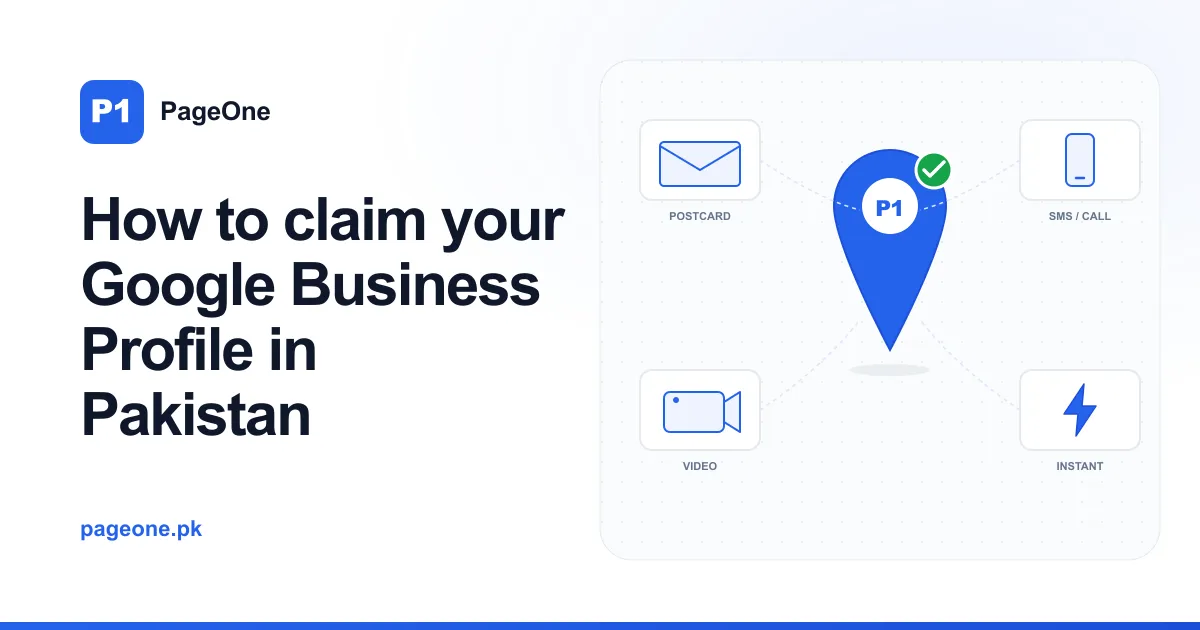
Once your profile is filled in, Google needs to confirm you represent the business at the address you claimed. There are several methods. Which one Google offers depends on your category, address, and how new the listing is. You usually don’t get to choose, and these days the offered path is often video, phone, or email rather than a mailed postcard.
(a) Video verification
Increasingly the path Google offers first for Pakistani clinic and service-business listings. Google asks you to record an unedited video that proves three things: your business signage, the interior or equipment that matches your claimed category, and the address visible from outside the building.
A 30-to-60-second walkthrough works well. Start outside with your signboard and any visible street numbering, walk through the entrance, pan across the reception or waiting area, and capture one piece of equipment or signage that ties your business to its category: a dental chair, a laser unit, a consultation desk, a mounted solar panel, whatever your work actually involves. Don’t film patients, clients, or other identifiable people without consent. Don’t cut the video: Google’s reviewer wants one continuous take.
Google’s review of the video usually takes a few days. If they reject it, the notice tells you what was missing: usually the address wasn’t visible enough, or the signage wasn’t on-camera long enough.
(b) Phone or SMS verification
For some service businesses, Google offers verification by phone call or SMS. A call comes in from a Google number during business hours, an automated voice reads out a code, and you enter it. SMS works the same way without the call.
Much faster than postcards (minutes instead of weeks), but Google only offers it for a subset of categories. If it’s offered, take it. Make sure the number on your listing matches the one that will answer.
(c) Postcard verification
The traditional method, and increasingly less common as Google leans on the faster checks above, but you may still be offered it, especially for some retail and storefront categories. Google posts a physical postcard to your business address with a verification code. You enter the code in your dashboard and the listing is verified.
In major cities (Lahore, Karachi, Islamabad, Rawalpindi, Faisalabad), the postcard typically arrives within one to two weeks. In smaller cities like Jhelum, Sialkot, Multan, or Peshawar, it can take longer. Sometimes it never arrives at all, which is common in DHA and Bahria neighbourhoods where the gate-and-guard system intercepts unfamiliar post, and in older parts of cities where the postal address is technically correct but practically ambiguous.
If a couple of weeks pass with no postcard, request a second from your GBP dashboard. If the second also fails, contact Google support through the dashboard’s help link and ask whether your listing is eligible for video verification as a fallback. Google usually grants this once you’ve shown two postcard attempts.
(d) Instant verification
The fastest and rarest. Only available if you’ve already verified the same business in Google Search Console using the same Google account, mostly relevant when adding a new branch to an existing verified business, or when your developer has already verified your website’s domain under your account.
If you see “Verify instantly,” take it. There’s nothing to do except click through.
Step 4: What to do the day verification lands
The temptation when verification arrives is to celebrate and move on. Don’t. The first 72 hours are when Google looks hardest at how complete and active your listing is. Work through this checklist before you close the tab.
- Add every relevant category: primary plus all applicable secondaries.
- Upload at least 15 real photos: interior, exterior, team, equipment, finished work, and one or two showing your front signage clearly.
- Write the full 750-character description, with PMDC compliance if you’re a clinic (no outcome guarantees, no superlatives, no comparative claims).
- Set hours including holidays: Eid ul Fitr, Eid ul Adha, Independence Day, Quaid Day, and any others you close for.
- Fill the services list with every service you offer.
- Pre-answer 5 to 10 common questions in the Q&A section so you’re not waiting for someone else to ask them first.
- Set up a review-request workflow with your front desk or closing staff. After every closed appointment or completed job, the customer gets a polite request with a direct link to your review form. This single habit, done consistently, separates the businesses that climb the Maps ranking from the ones that stay stuck.
Common rejection reasons and how to fix them
Listings get rejected, suspended, or stuck for a small number of recurring reasons. Most are fixable.
- Address doesn’t match the utility bill. Send Google a clear photo of a recent utility bill (electricity, gas, or PTCL) showing your business address through the dashboard’s appeal flow.
- Category Google won’t let you claim. Some categories are restricted or unavailable in Pakistan. Claim the closest available one as primary, then add the disputed one as a secondary if Google permits.
- Suspended profile. Appeal through the GBP help centre. Suspensions are almost always traced to an inconsistency Google’s systems flagged: an address mismatch with what’s on your website, an old phone number floating around the web, or a category that conflicts with what your site says you do. Most appeals resolve within a week or so once you fix the underlying inconsistency.
- Listing claimed by someone you can’t reach. If the access request expires after a few days with no response, Google will usually let you take ownership. If the existing owner is an old agency, email them in parallel asking them to release access, most do.
What to do after verification, and what not to do
Once you’re verified and your profile is filled in, GBP becomes a small but real weekly responsibility. The businesses that rank are the ones treating it as a living listing, not a one-time setup.
Do publish a Google Post every week: an offer, a new service, a piece of advice. Do upload fresh photos every month. Do request a review after every closed appointment or finished job. Do monitor the Q&A and answer questions yourself before strangers answer them for you.
Don’t buy reviews. Google’s review-fraud detection has improved sharply and the penalty is suspension. Don’t upload stock photos; Google’s image-detection catches them. Don’t add categories your business doesn’t genuinely serve to chase more searches. It gets you suspended. Don’t let the listing sit dormant for six months. Quiet listings drift down the rankings even if everything else stays the same.
An honest close
Claiming your GBP is the easy part. The work that moves you up the Maps ranking is the next twelve months: weekly posts, monthly photos, consistent review collection, and the discipline to keep doing it after the novelty wears off. Most Pakistani SMB owners do the claim, feel done, and never touch the listing again. The businesses that do keep the maintenance going pull ahead, often without any paid advertising at all.
If you’d rather hand the ongoing work to someone who treats your listing as a weekly responsibility instead of an afterthought, that’s what PageOne’s Google Business Profile service handles. Transparent monthly pricing is on the pricing page, or if you’d like a free audit of your existing listing first, get in touch and I’ll reply within 1 business day. GBP is the cornerstone, but it compounds best as part of a broader local SEO programme.
